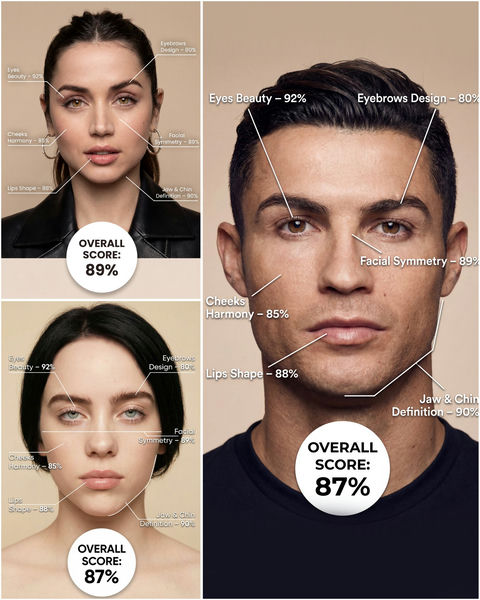
可直接使用的提示词
原文
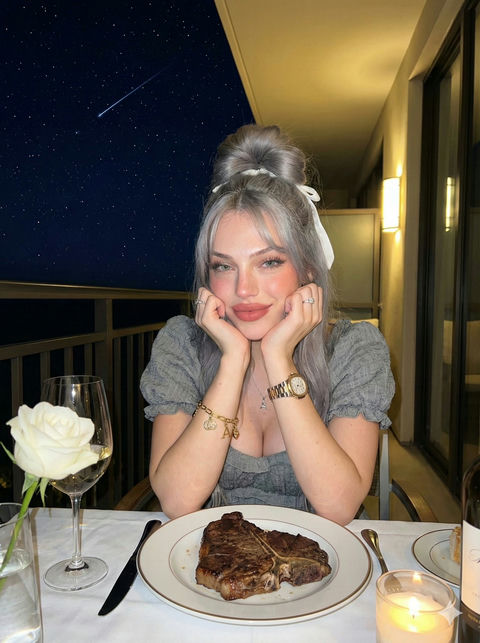
Use the provided portrait photo <YOUR PHOTO> as the base.
Do NOT change the person’s face, expression, age, skin tone or gender. Just overlay a clean, minimal infographic on top.
Create a high-resolution vertical “FACIAL AESTHETIC REPORT” poster, studio lighting, soft beige background, premium beauty clinic style.
The subject can be MALE or FEMALE – keep them exactly as in the original photo.
Add thin white lines and labels pointing to each area of the REAL face, with percentage scores based on global aesthetic ratios, symmetry and proportions (not changing the face):
1. Eyes:
   Label near the eyes with a line pointing to them:
   “Eyes Beauty – 0–100%”
   Example: “Eyes Beauty – 92%”
2. Cheeks:
   Label near the cheekbones:
   “Cheeks Harmony – 0–100%”
   Example: “Cheeks Harmony – 85%”
3. Lips:
   Label close to the mouth:
   “Lips Shape – 0–100%”
   Example: “Lips Shape – 88%”
4. Eyebrows:
   Label above or beside the brows:
   “Eyebrows Design – 0–100%”
   Example: “Eyebrows Design – 80%”
5. Jaw & Chin:
   Label near the jawline and chin:
   “Jaw & Chin Definition – 0–100%”
   Example: “Jaw & Chin Definition – 90%”
6. Overall Facial Symmetry:
   Label near the center of the face:
   “Facial Symmetry – 0–100%”
   Example: “Facial Symmetry – 89%”
At the bottom center of the poster, add a BIG, bold number inside a circle or rectangle:
   “OVERALL SCORE: XX%”
This is the total facial aesthetic score from 1–100%.
Design style:
– clean, medical-grade, aesthetic-clinic infographic
– modern thin sans-serif typography
– white text and lines, subtle drop shadows
– no logos, no extra graphics, no text other than the labels and scores above.
中文
请使用提供的肖像照片<YOUR PHOTO>作为基础。
请勿改变人物的面部特征、表情、年龄、肤色或性别。只需在其上叠加一个简洁明了的信息图即可。
制作一张高分辨率竖版“面部美学报告”海报,采用影棚灯光、柔和的米色背景,营造高级美容诊所风格。
拍摄对象可以是男性或女性——请保持与原照片完全一致。
在真实面部的每个区域添加细白线和标签,并根据整体美学比例、对称性和比例(不改变面部)给出百分比评分:
1. 眼睛:
在眼睛附近贴上标签,并用线指向眼睛:
“眼部美感 – 0–100%”
例如:“眼部美感 – 92%”
2. 脸颊:
颧骨附近的标签:
“脸颊和谐度 – 0–100%”
例如:“双颊和谐度 – 85%”
3. 嘴唇:
靠近嘴部的标签:
“唇形 – 0–100%”
例如:“唇形 – 88%”
4. 眉毛:
眉毛上方或旁边的标签:
“眉形设计 – 0–100%”
例如:“眉形设计 – 80%”
5. 下颌和下巴:
下颌线和下巴附近的标签:
“下颌和下巴轮廓 – 0–100%”
例如:“下颌和下巴轮廓 – 90%”
6. 面部整体对称性:
脸部中央附近的标签:
“面部对称性 – 0–100%”
例如:“面部对称性 – 89%”
在海报底部中央,用圆形或矩形框出一个醒目的大号数字:
“总分:XX%”
这是面部美学总评分,范围从 1% 到 100%。
设计风格:
– 洁净、医用级、美容诊所信息图
现代纤细无衬线字体
白色文字和线条,淡淡的阴影
– 除了上面的标签和分数之外,没有标志、没有额外的图形、没有文字。
案例说明
「美妆检测器」AI 图像提示词与效果示例。可参考画面构图、光线、色彩和视觉语言,结合自己的创作主题继续调整。
适用信息
适配模型:Nano banana pro
难度:入门
标签:视觉灵感、infographic、logo、minimalist、photography、portrait、poster、typography
来源:AI妙词(已获授权转载),原条目 ID 3838。